
Now onboarding schools across Ghana.Book a free demo

Every record your school runs on,finally in one place

FutureLink replaces the scattered registers, spreadsheets, and paper receipts with one connected platform for administrators, teachers, and parents.

Connected role dashboards
3Connected role dashboards
Source of truth per school
1Source of truth per school
Parent access from any phone
24/7Parent access from any phone
Students working together in a classroom

Attendance marked

Class 5B · today

92% present

Daily attendance in seconds
Results and assessment tracking
Fee balances that stay current
Role-based access per school

What you get

One platform that covers thewhole school day

From the first register of the morning to the last fee receipt of the term, every module writes to the same records.

Teacher guiding students through a lesson
Built around teaching

Teachers stay in the classroom, not in the filing room

Attendance, continuous assessment, and student records live in one workspace, so nothing has to be copied twice at the end of term.

Results and performance

Record scores per subject and publish term results parents can open the moment they are ready.

Fees without the follow-up

Expected totals, payments received, and outstanding balances update together across every dashboard.

Installs like an app

Parents and staff add FutureLink to their home screen and open it straight from their phone.

Separated and secure

Each school is its own tenant, and every role only sees the records it is permitted to see.

Communication built in

Reach families where they already check their child's attendance and results.

For your team

A dashboard foreveryone in the school

These are real screens from the product. Pick a role to see what that person opens each morning.

Full command of the school in one screen

Track enrolment, attendance, staffing, and fee collection without stitching spreadsheets together at the end of every term.
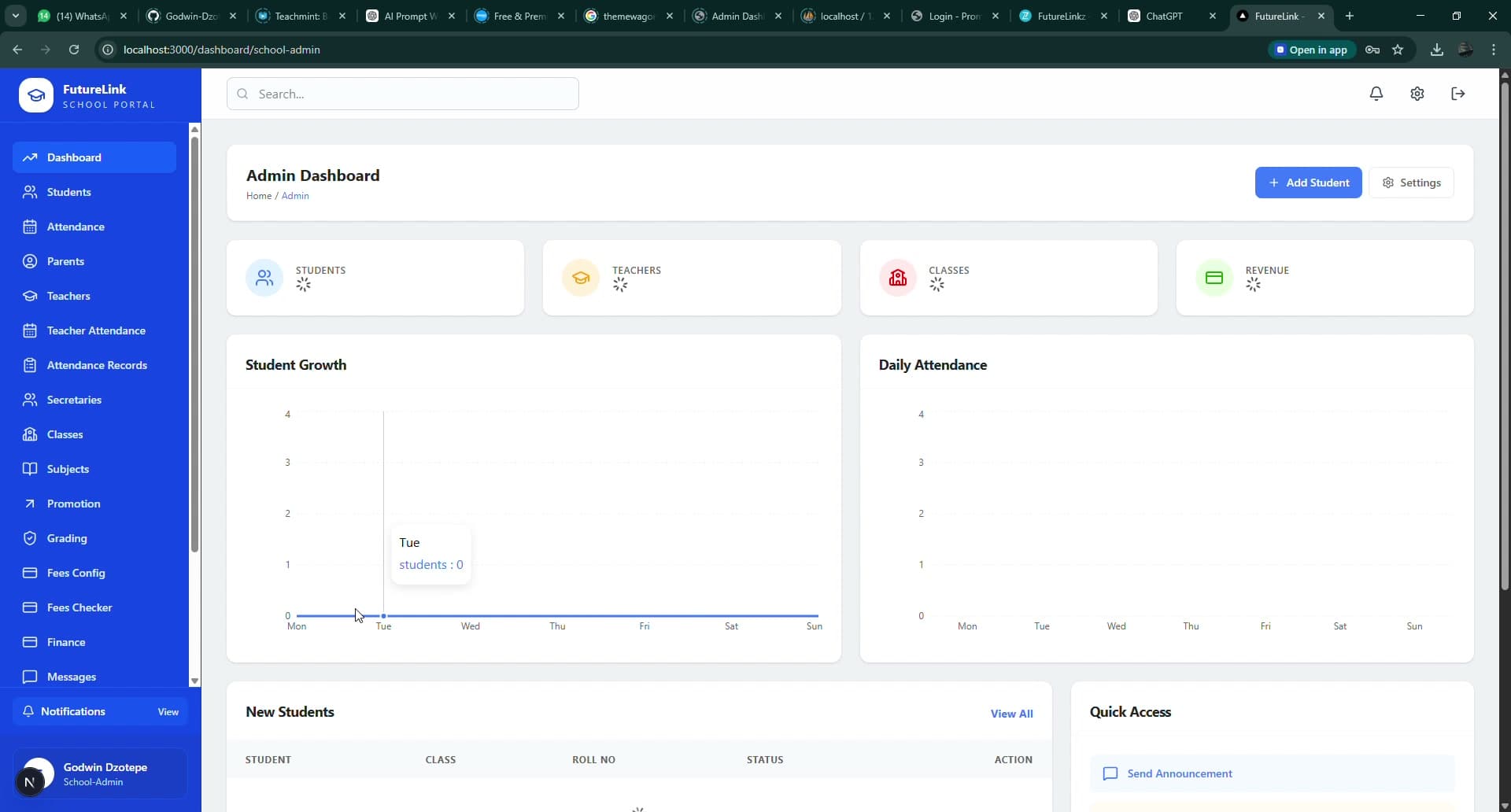
  • School-wide summary cards and student growth trends
  • Quick actions for classes, staff, and student records
  • Fee expectations, payments, and outstanding balances
Administrators view
Administrators dashboard

How it works

Up and running inthree simple steps

Step 01

Set your school up once

Create classes, add staff, register students, and configure your fee structure from a single admin space.

Step 02

Run the school day

Teachers mark attendance and record assessment as they teach. Finance records payments as they come in.

Step 03

Keep families informed

Parents see the same records in real time, so the office stops fielding the same questions every week.


Made for our schools

Built for the way schools hereactually run

Large class sizes, termly fees, handwritten registers, and parents who are easiest to reach on a phone. FutureLink is designed around that reality, not around a system built for somewhere else.

Students raising their hands in class
Smiling student holding their work
Teacher guiding students through a lesson
Students gathered at a classroom window
Student concentrating on classwork

Questions

Before yousign up

Still unsure about something? Book a demo and ask us directly.

No. Setup is guided from the admin dashboard: create your classes, add staff and students, then set your fee structure. Most schools are running the same week they sign up.

School staff reviewing records together

Give your school one systemit can rely on

Start free, bring your classes across at your own pace, and let your team see the difference before the term ends.

  • No long setup project before you see value
  • Works on the phones your parents already have
  • Your data stays yours, separated per school